
05Workflow automation
Let the routine parts run themselves, and be able to trust the result
Workflow Studio is a visual builder: when something happens, check a couple of things, then do the work. Runs can be replayed safely, and runs that keep failing are set aside instead of lost.
What is workflow automation?
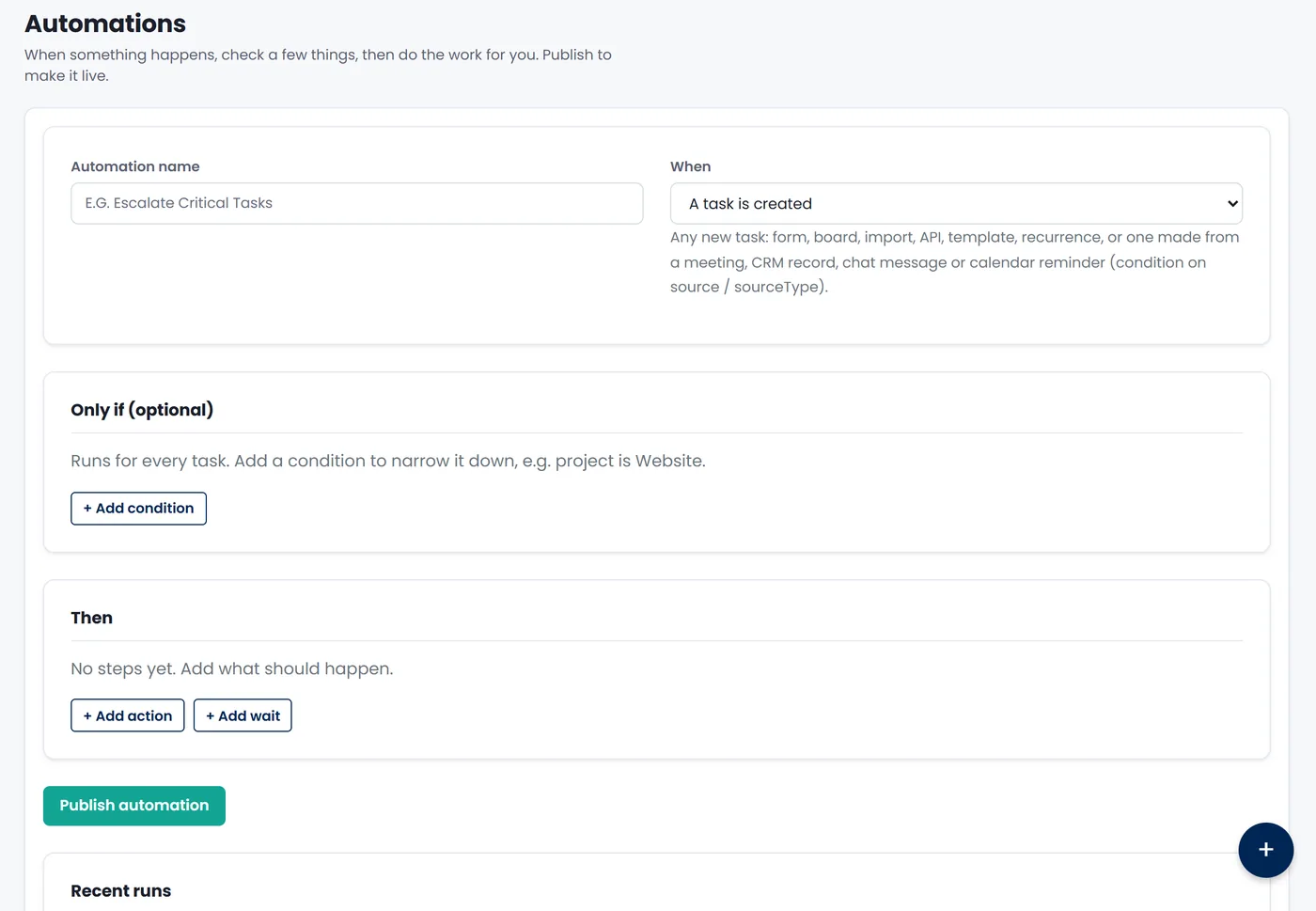
Workflow automation in ZimraStudio is a visual builder. You pick what starts a workflow, add conditions, and choose the actions: create a task, send a message, assign an owner or ask for an approval. Runs can be replayed safely, and failing runs go to a dead-letter list.
Who is it for?
- Operations leads who repeat the same steps every week
- Sales teams that want leads assigned and followed up automatically
- Organisations that need approvals before something is finalised
When, only if, then
A builder that reads like a sentence
Pick the trigger (a task is created, a lead goes hot, a record changes, a date approaches), add conditions if you need them, then add actions and waits. Publish it and see recent runs underneath.
- Triggers. Forms, boards, imports, the API, templates, recurrence, meetings, CRM records, chat messages and calendar reminders can start an automation.
- Actions and waits. Create tasks, send messages, update fields, wait, and retry with back-off.
- Date reminders. Remind people before a licence, contract or deadline.
Safe by design
Safe replay and a dead-letter list
If a run fails, it retries with back-off. A run that keeps failing is set aside in a dead-letter list instead of disappearing, so you can see what went wrong. Replaying a run is safe: it does not do the same thing twice.
- Safe replay. Re-run a failed run without creating duplicates.
- Dead-letter list. Failed runs are kept for you to inspect.
- Approvals and processes. Write down how a process runs, assign steps by rule rather than by person, and run it with multi-step approvals.
Ready to switch on
Start from a ready-made one, or connect anything else
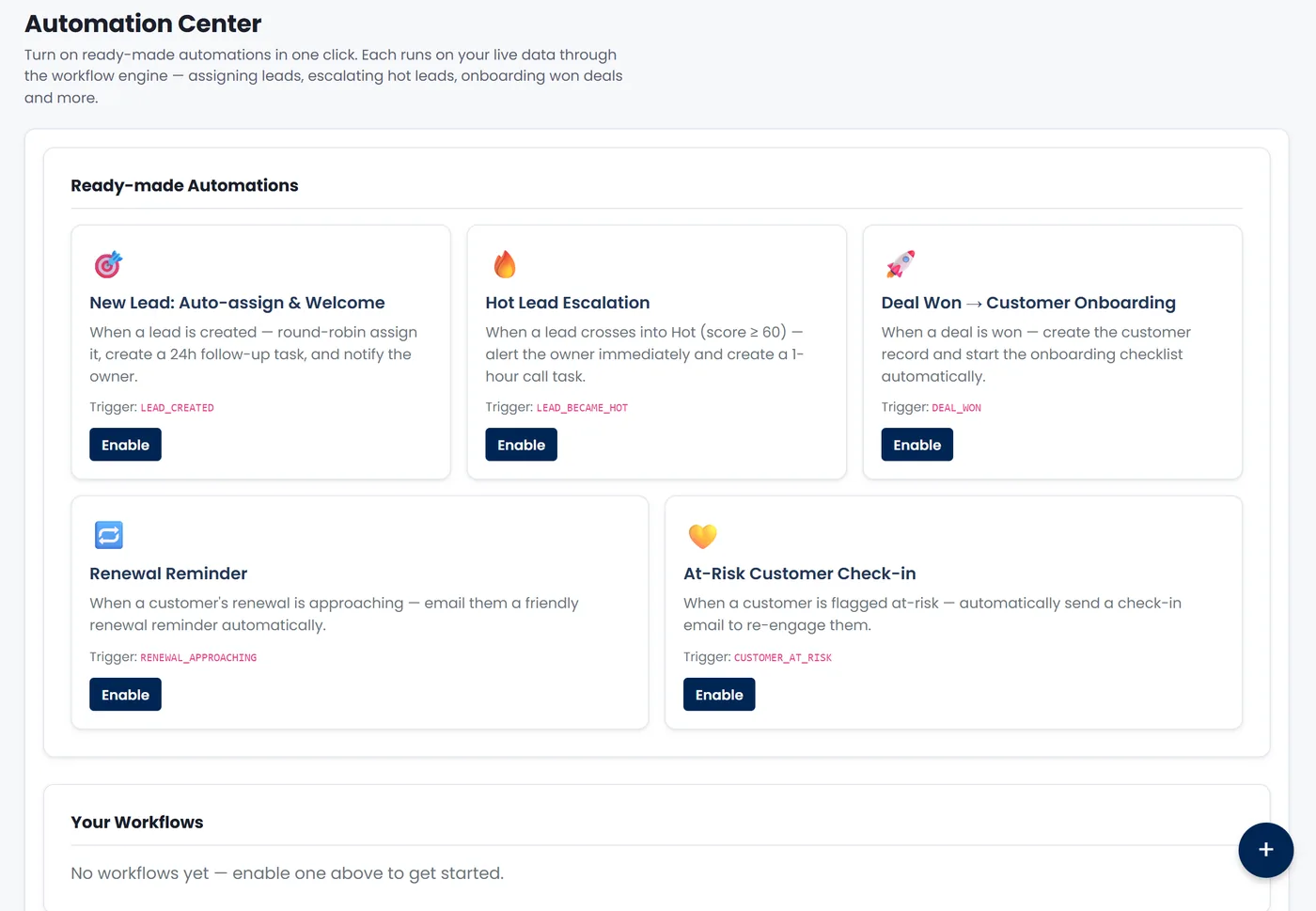
The Automation Center has automations for the common cases. Enable one and edit it later. Send signed events to any URL with webhooks, or connect n8n to reach tools that have no native connector.
- Ready-made automations. Lead auto-assign, hot-lead escalation, deal-won onboarding, renewal reminders and at-risk check-ins.
- Webhooks and n8n. Signed outbound events, and an n8n bridge for the rest.
How it works
How it works, in 3 steps
Choose the trigger
What event should start it?
Add conditions and actions
Narrow it down, then say what should happen.
Publish and watch
Recent runs show what happened and why. Failed runs wait in the dead-letter list.
Questions
Questions about workflow automation
What is Workflow Studio?
It is the visual automation builder in ZimraStudio. You choose a trigger, conditions and actions, publish it, and watch the runs.
What happens when an action fails?
It retries with back-off. A run that keeps failing is set aside in a dead-letter list so you can see it and replay it.
Is replaying a run safe?
Yes. Replay is designed not to repeat work that was already done, so it does not create duplicates.
Do I need to write code?
No. Automations are built visually from triggers, conditions and actions.
Do I need n8n?
No. n8n is optional, for connecting tools that ZimraStudio has no native connector for. It needs an n8n instance connected on the server.
Can a workflow ask a person to approve something?
Yes. Processes can have multi-step approvals, with steps assigned by rule rather than to a named person.
Are workflow runs limited by plan?
Yes. Plans can cap workflow runs, and the app shows usage.
Last updated . Checked against the product by the ZimraStudio team.
See it with your own work in it
Start a trial, or book a short walkthrough and bring a real example. We will set it up with you.
New companies start on a 14-day trial of the Growth plan.