Solutions
Set up for your kind of organisation
A school does not run on the same task types as a contractor. Choose your industry and ZimraStudio suggests the statuses, roles, checklists and registers that fit, and shows you what it will add before it adds anything.
- 01NGOs and INGOsProgrammes, grants, partners, beneficiaries and donor reporting
- 02Corporate teams and agenciesClients, projects, deliverables, approvals and management reporting
- 03Education and trainingAdmissions, timetables, exams, events and accreditation
- 04Healthcare operationsNon-clinical coordination: outreach, referrals, facilities and quality
- 05Construction and infrastructureWork packages, inspections, requests for information, variations and handover
- 06Manufacturing and industrialMaintenance, quality inspections, corrective actions and shift handover
- 07Retail and distributionBranch checklists, restocking, promotions, suppliers and complaints
- 08Hospitality and tourismDaily operations, guest requests, housekeeping, events and tours
- 09Logistics and transportDispatch, deliveries, fleet maintenance and proof of delivery
- 10Research, media and creativeEditorial calendars, reviews, production schedules and deliverables
Not listed? Choose "Other / general" at sign-up for a neutral setup.
How a setup is applied
Preview, then apply
Choose at sign-up
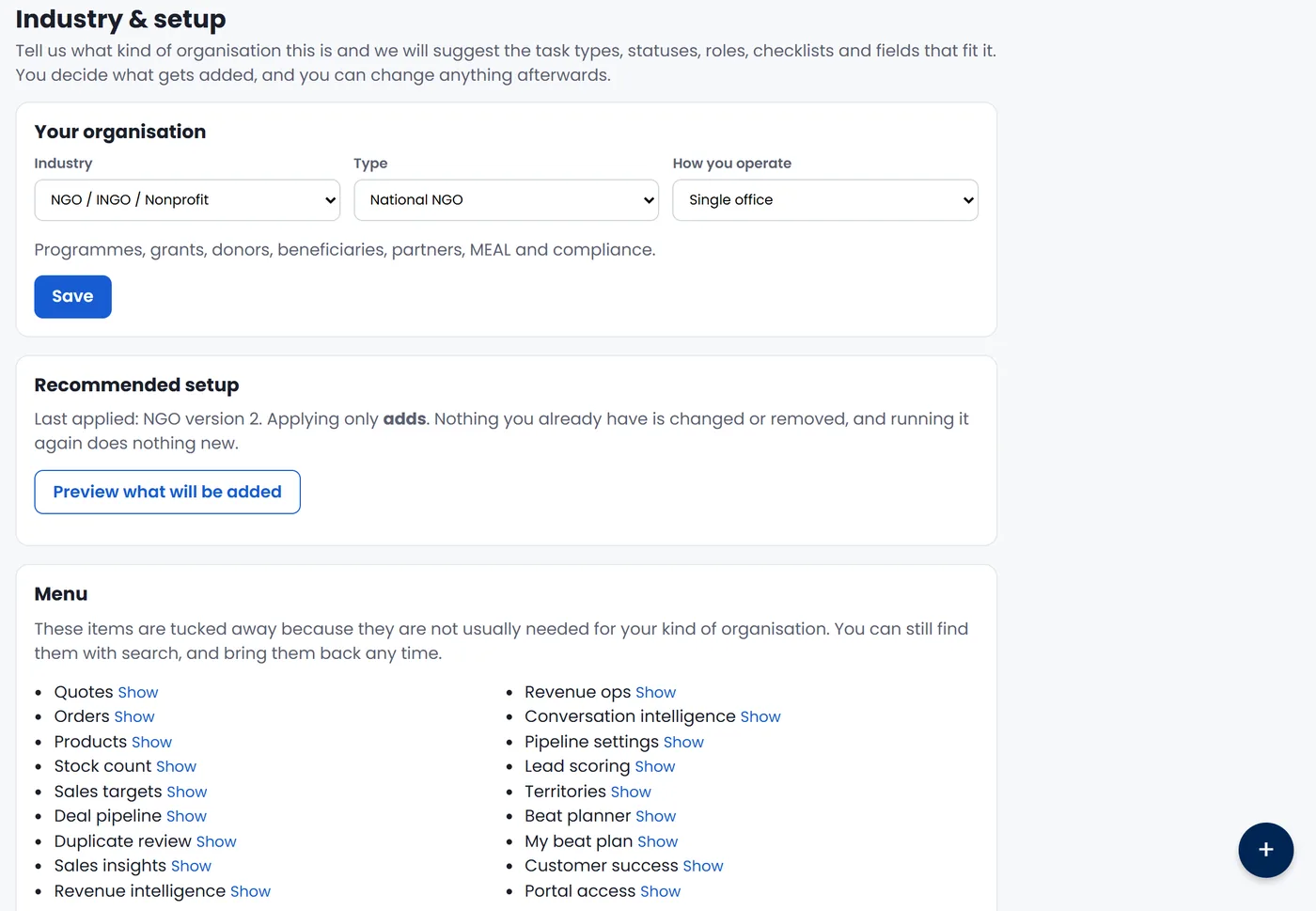
Pick your industry, your type of organisation and whether you run one office, several branches, several countries or a group of companies.
Read the preview
See every task type, role, checklist, register and KPI it would add. Nothing is written yet.
Apply and adjust
Apply it, then edit anything. A record of what was applied, by whom and when, is kept.
Questions
About starter setups
What is a starter setup?
A ready-made bundle for one kind of organisation: task types, statuses, labels, departments, roles with access rules, checklists, custom fields, registers, KPIs and, for NGOs, public forms. It is plain data, not special code.
Will it overwrite what I already built?
No. A starter setup only adds. If something with the same name exists it is skipped, and applying it twice changes nothing new. You see a preview first.
Our organisation is not on the list.
Choose "Other / general" for a neutral setup and shape it yourself. Task types, statuses, roles, custom fields and record types are all editable.
Does an industry unlock different features?
No. Every company has the same product. The industry choice changes what is pre-configured and what is shown by default in the menu, not what you are allowed to use.
Tell us what you run, and we will show you the setup
Start a trial, or book a short walkthrough and bring a real example. We will set it up with you.
New companies start on a 14-day trial of the Growth plan.