
03Forms and surveys
A form anyone can fill in, and a record your team can act on
Form Studio is a drag-and-drop builder with around 60 field types and conditional logic. Share a public link and every submission becomes a real record: a task, a case, a volunteer, or any record type you define.
What is Form Studio?
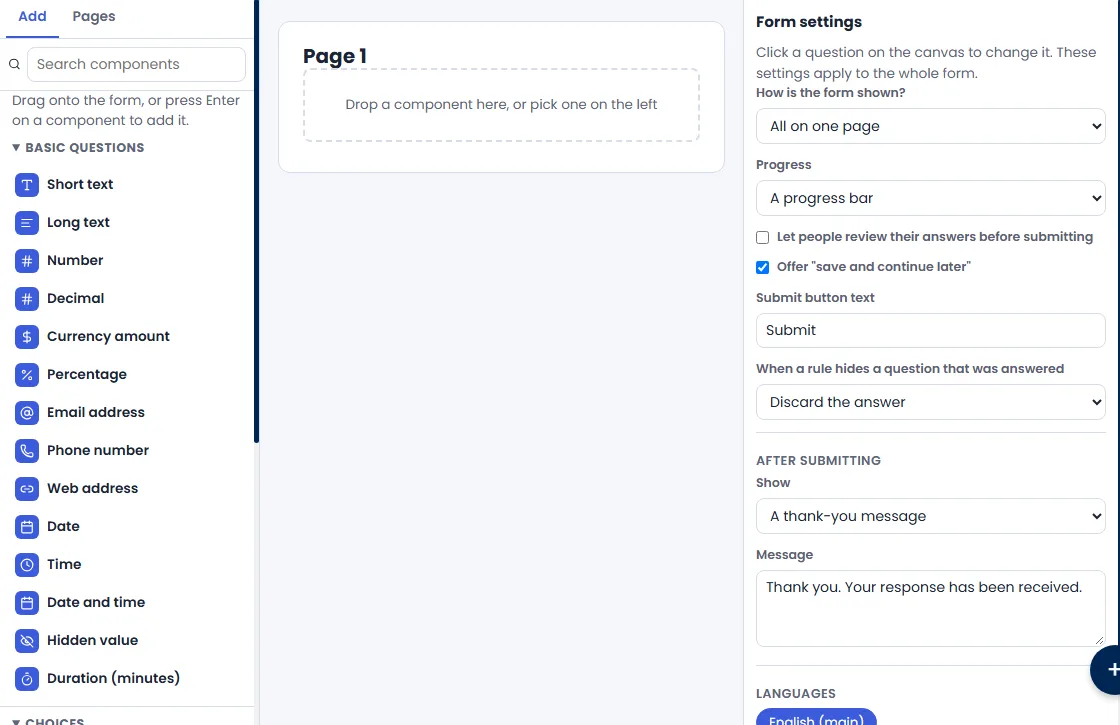
Form Studio is ZimraStudio's form and survey builder. You drag in questions from around 60 field types, add logic that shows or hides them, and share a public link. Each submission can become a task or a record in your workspace. A response explorer, approvals and templates are coming soon.
Who is it for?
- NGOs collecting beneficiary, volunteer or feedback data
- Businesses taking enquiries, applications and requests
- Any team that wants answers to land in the work, not in a spreadsheet
Build it
A builder with around 60 field types and logic
Drag in short text, numbers, currency, dates, choices, files and many more. Add logic so a question appears only when it is relevant, split the form into pages with a progress bar, offer save and continue later, and write the thank-you message. Design, logic, preview and history sit on one screen.
- Around 60 field types. From short text and email to currency, duration and hidden values.
- Logic. Show or hide questions depending on earlier answers.
- Phone, tablet and desktop preview. See the form the way each visitor will.
From link to record
Submissions go where you point them
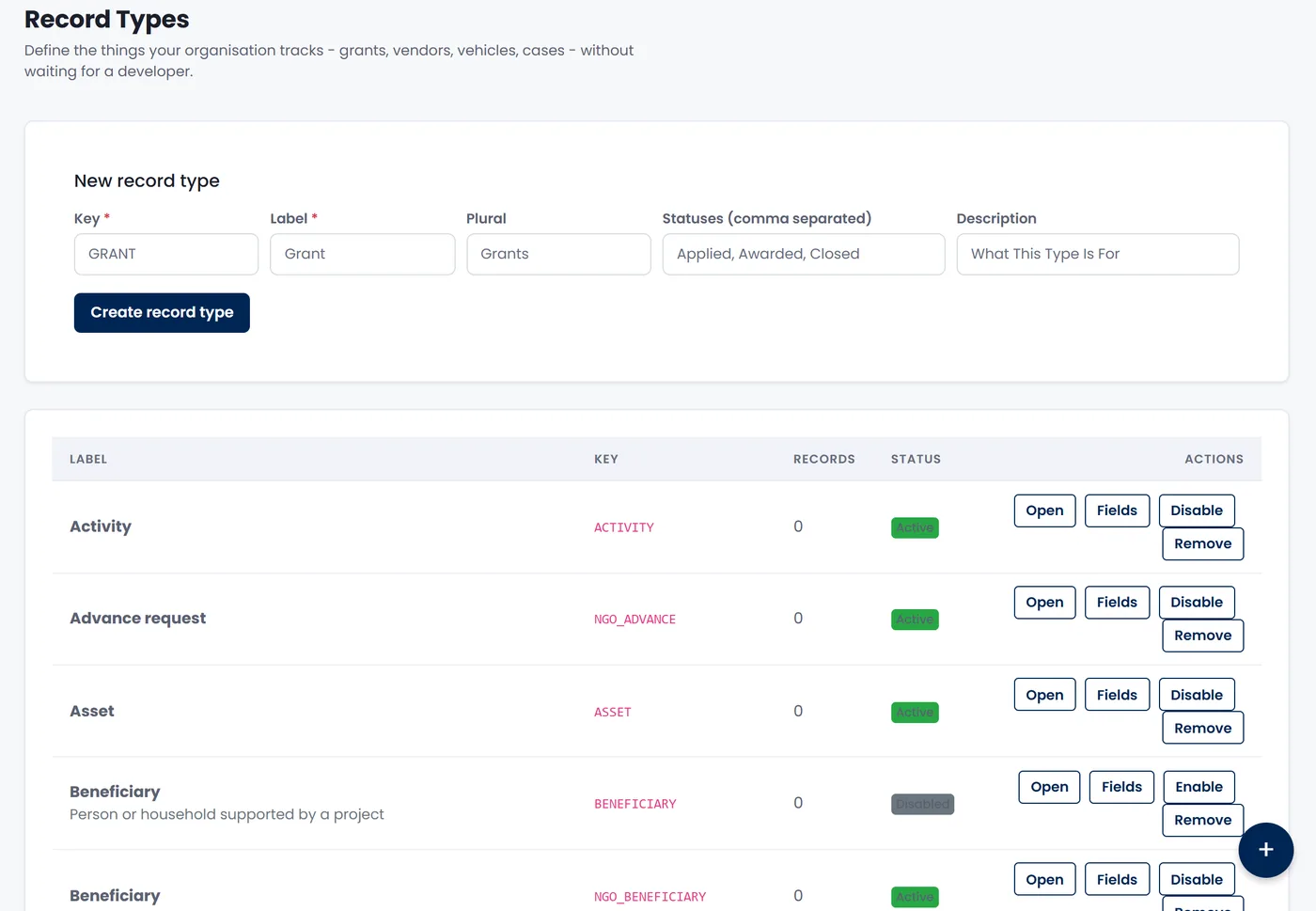
Each form says what a submission creates: nothing, a task, or a record of a type you defined. Share it with a public link, keep it internal, close it, or reopen it. The public page never uses the visitor's login, so a stranger filling in a form cannot see your workspace.
- Public forms. Open to anyone with the link, with no account needed.
- Questions and routing. Route submissions to the right person or queue.
- Record types. Define your own record types (grants, vendors, vehicles, cases) with their own statuses and fields.
How it works
How it works, in 3 steps
Build the form
Give it a title, drag in the questions you need, and add logic.
Choose what it creates
A task, or a record of any type you have defined.
Share the link
Publish it, collect submissions, and act on them in the app.
| Part of Form Studio | Status |
|---|---|
| Form builder with around 60 field types and logic | Available now |
| Public forms with a share link | Available now |
| Response explorer | Coming soon |
| Approvals on submissions | Coming soon |
| Form templates | Coming soon |
| Form reports | Coming soon |
Questions
Questions about Form Studio
What is Form Studio?
It is the form and survey builder inside ZimraStudio. You build a form by dragging in questions, share it with a link, and each submission can become a task or a record.
How many field types are there?
Around 60, including text, numbers, currency, dates, choices and files.
Do respondents need an account?
No. Public forms are open to anyone who has the link.
Can a form show questions only when they matter?
Yes. Logic can show or hide questions depending on earlier answers.
Can I review responses and approve them?
A response explorer and approvals are coming soon. For now, submissions arrive as tasks or records you can work with in the app.
Are there ready-made form templates?
Templates are coming soon. Industry starter setups already include public forms for some sectors, such as NGOs.
Can I embed one on my website?
Forms have a public share link. A ready-made embed snippet is not part of Form Studio today. The website builder has its own forms for site enquiries.
Last updated . Checked against the product by the ZimraStudio team.
See it with your own work in it
Start a trial, or book a short walkthrough and bring a real example. We will set it up with you.
New companies start on a 14-day trial of the Growth plan.