
02Reports and analytics
Open a report, filter it, compare it to last period, and send it on a schedule
A Report Center with 84 ready-made reports across sales, support, marketing, work, people, finance, programmes and administration, plus dashboards, goals and a report builder for your own questions.
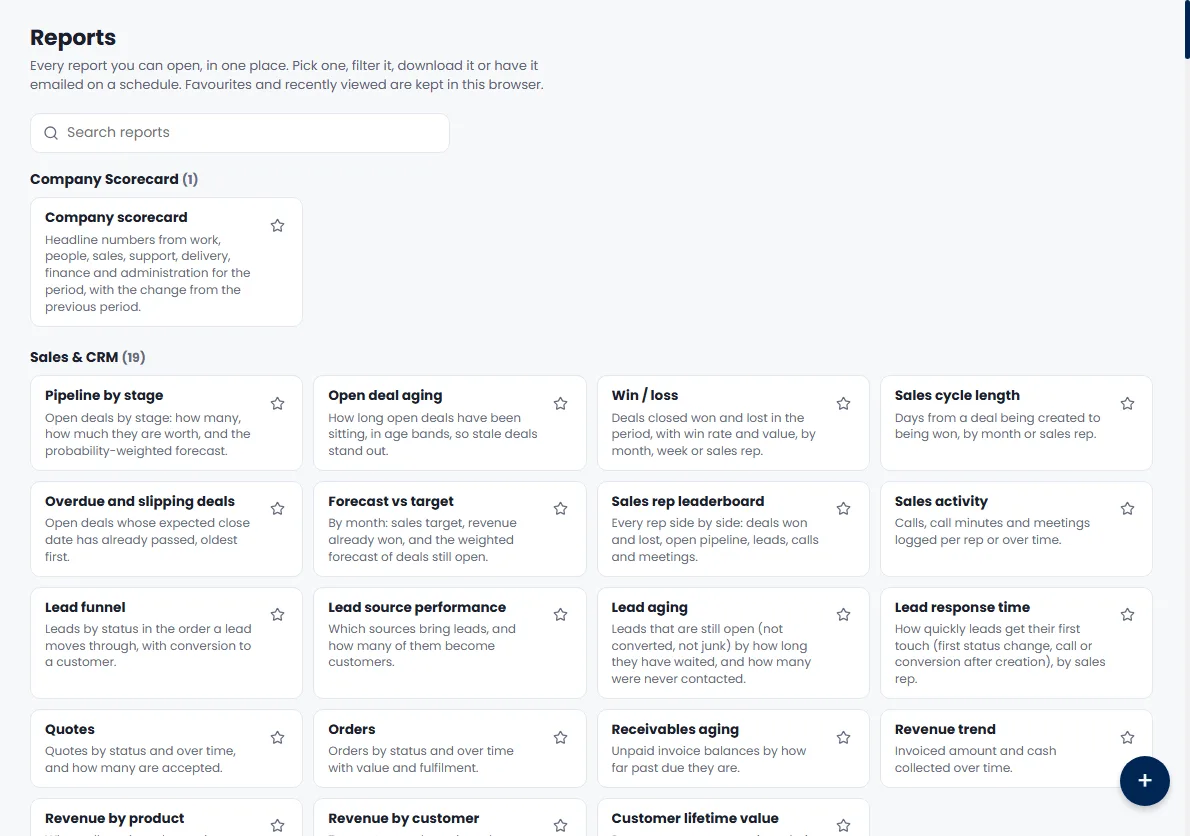
What is the Report Center?
ZimraStudio's Report Center holds 84 ready-made reports across sales, support, marketing, website, work, people, finance, programme delivery and administration, plus an executive scorecard. You filter a report, compare it to the previous period, export it to CSV, Excel or print, or have it emailed on a schedule.
Who is it for?
- Owners and managers who want one place for the numbers
- Sales, support and programme leads who answer to targets or donors
- Admins who send the same report to the same people every week
The Report Center
84 reports in ten groups
Reports are grouped by area: sales and CRM, support, marketing, website, work, people, finance, programmes and delivery, and administration, with a company scorecard at the top. Search for one, star your favourites, open it, and the same screen shows the filters.
- Filters. Narrow a report by period, owner, status and other fields that fit it.
- Compare to the previous period. See the change next to the number, such as this month against last month.
- Export. Download CSV or Excel, or print the report.
- Scheduled email reports. Choose who receives a report, and how often.
Numbers that open to their list
A count on a dashboard opens exactly those records
Summary counts use the same filter as the list they open, so the number on the card and the rows behind it agree. Reports follow the same roles and data scopes as the rest of the product, so people see the records they are allowed to see.
- Team dashboard. Created and completed, overdue, workload and cycle time for any period.
- CRM dashboard. Pipeline value, weighted forecast, lead funnel and support load.
- Support analytics. Ticket and SLA reports for the helpdesk.
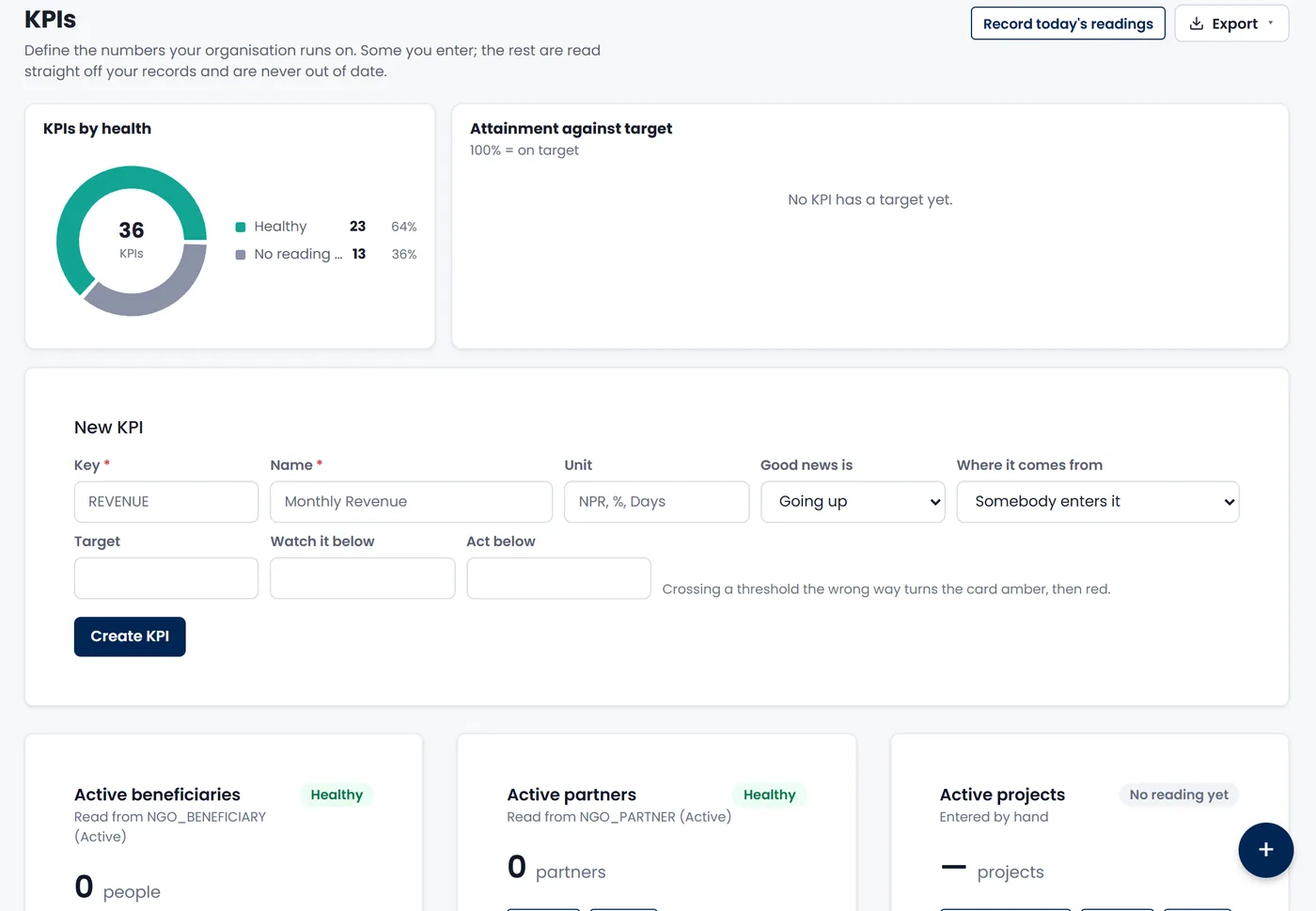
Your own questions
Goals, KPIs and a report builder
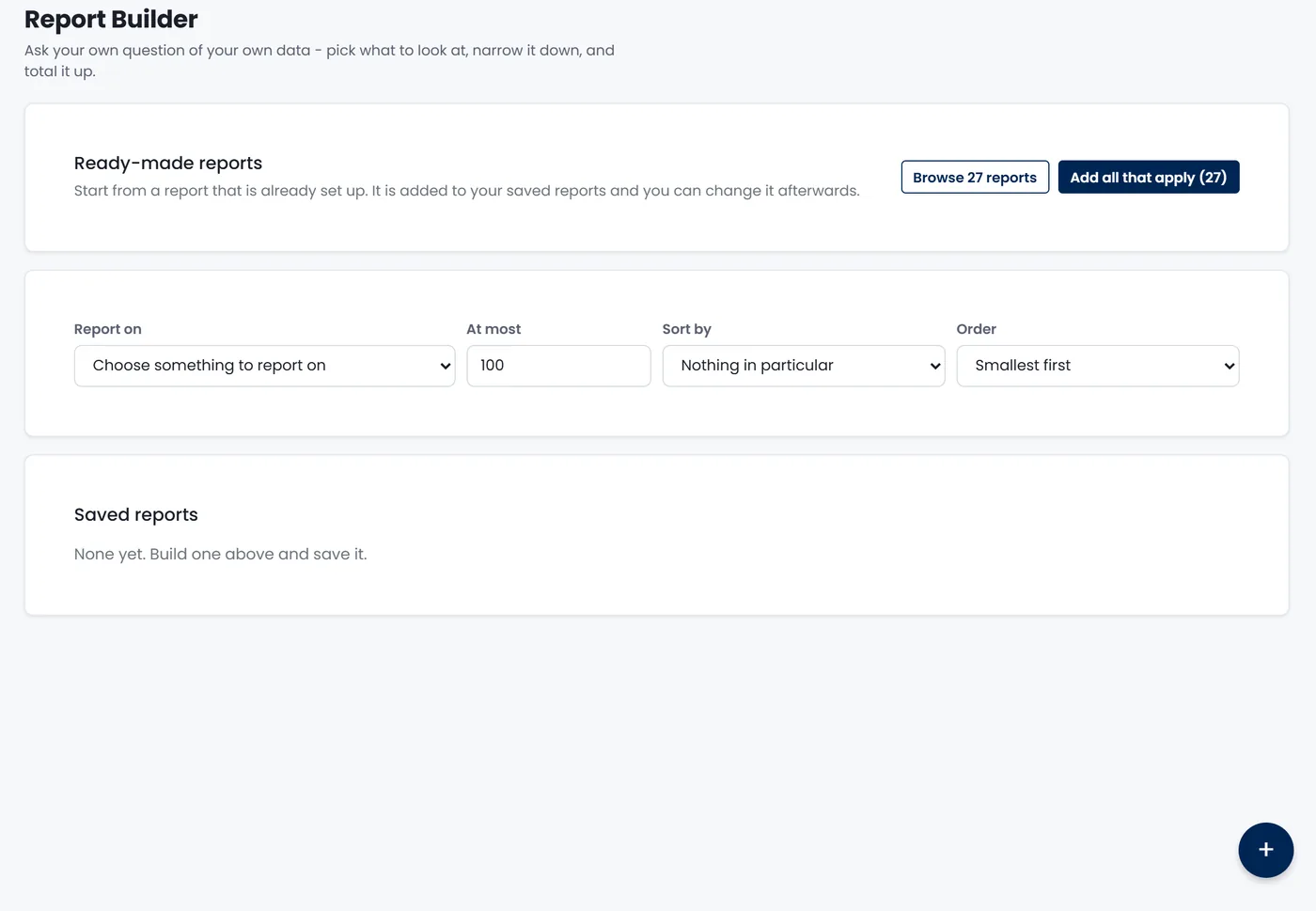
Set a goal, hang measurable KPIs under it, and have them read from your records or enter them by hand. The report builder starts from ready-made reports or from a blank question: pick what to report on, narrow it down, sort it and save it.
- Saved and exportable. Saved reports can be re-run and exported.
- Personal dashboards. Build a board of the KPIs and panels you care about, and share it with the company.
How it works
How it works, in 3 steps
Open the Report Center
Search or browse the groups, and star the reports you use often.
Filter and compare
Choose the period and filters, and switch on comparison to the previous period.
Export or schedule
Download CSV or Excel, print it, or schedule it to arrive by email.
| Group | What it covers |
|---|---|
| Company scorecard | Headline numbers from work, people, sales, support, delivery, finance and administration |
| Sales and CRM | Pipeline, win and loss, lead funnel, quotes, orders, receivables, revenue |
| Support | Tickets, response and SLA |
| Marketing and website | Campaigns, broadcasts, social publishing, website results |
| Work and people | Workload, attendance, punctuality, leave |
| Finance, programmes and admin | Billing and payments, programme delivery, AI usage |
Questions
Questions about the Report Center
How many reports are there?
There are 84 ready-made reports in the Report Center, plus a report builder for your own questions.
Can I export a report?
Yes. You can download a report as CSV or Excel, or print it.
Can a report be emailed automatically?
Yes. You can schedule a report so it is emailed to the people you choose.
Can I compare with last month?
Yes. Reports can compare the chosen period with the previous period.
Who can see which reports?
Reports follow your roles and data scopes, so people see the records they are allowed to see.
Are financial figures accounting-grade?
No. Money fields are planned, approved or imported figures. Your accounting system stays the source of truth.
Can I build a report that does not exist?
Yes. The report builder starts from a blank question, and saved reports can be re-run and exported.
Last updated . Checked against the product by the ZimraStudio team.
See it with your own work in it
Start a trial, or book a short walkthrough and bring a real example. We will set it up with you.
New companies start on a 14-day trial of the Growth plan.